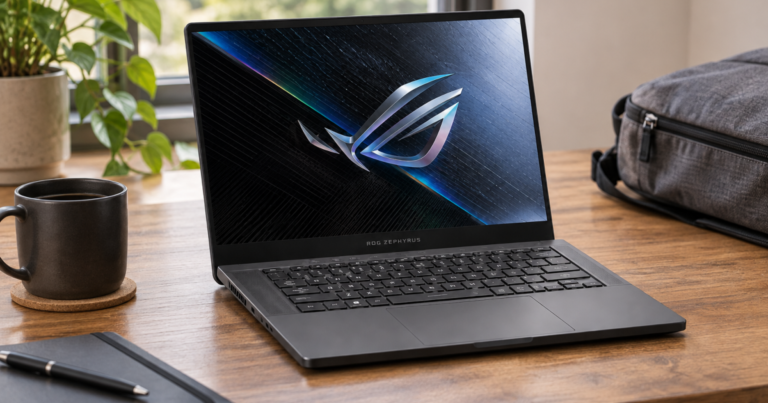

The wrong laptop usually looks reasonable on paper. The trouble starts when your class software, desk monitor, charger, commute, video calls, and storage habits all collide with the machine you bought. A laptop brief is a one-page snapshot of your normal week: the applications you run, the places you work, the accessories you connect, and the compromises you can actually live with.
Build it before you compare processors or chase a sale. It turns “I need something fast” into “I need this operating system, this port setup, this screen size, and enough memory for these applications.” That is a much better shopping position.
Main points
- Start with applications, not brands. Software compatibility decides operating system, memory, graphics, and storage more reliably than a spec-sheet headline.
- Write down locations. A laptop that lives on a desk can make different trade-offs than one carried between classes, flights, coffee shops, and shared workspaces.
- List peripherals early. Monitors, docks, hubs, drawing tablets, external drives, webcams, and chargers can change which ports and wireless features matter.
- Rank constraints. Budget, weight, battery expectations, screen quality, repairability, and upgrade limits rarely improve at the same time.
- Keep one “safe choice,” one “portable choice,” and one “performance choice” on the shortlist so you can see what each trade-off costs.
Start with the applications that run your week
Open your calendar and think through a normal seven days. Do not list every app you have ever installed. List what you actually depend on when a deadline is close and you cannot afford weird compatibility surprises.
Group applications by workload. Light everyday use might mean a browser with many tabs, email, Microsoft 365 or Google Workspace, streaming, and video calls. Heavier academic or professional use may include coding tools, virtual machines, CAD, statistical software, photo editing, audio production, or video editing. Gaming adds another layer because graphics hardware, cooling, storage, and display refresh can matter more than they do for office work.
Then mark each app as essential, occasional, or optional. Essential software should drive the purchase. Optional software should not trick you into buying a much heavier or more expensive machine unless it is part of your near-future plan.
The operating system check
Before falling for a thin chassis or a discounted configuration, check whether your required software supports Windows, macOS, ChromeOS, or ARM-based systems. This is especially important for college programs, engineering tools, employer software, certain plug-ins, and niche hardware utilities. “It runs in a browser” is not the same as “every required feature works well.”
If a school or employer publishes laptop requirements, translate them into plain language. A line that says “Windows required” is not a suggestion. A line that says “discrete graphics recommended” should prompt you to ask which assignments or projects need it, not automatically buy the loudest performance laptop in the store.
Map the places where the laptop has to behave

Location changes the meaning of a spec. A 16-inch laptop can be wonderful on a desk and annoying on a tiny lecture hall table. A three-pound ultraportable can feel liberating in a backpack but limiting if you also need sustained graphics performance or a large built-in screen.
Write down your regular work locations and what each one demands:
- Desk or dorm setup: monitor support, keyboard and mouse use, dock compatibility, webcam angle, fan noise during calls, and whether the laptop stays plugged in most of the day.
- Classrooms and meetings: fast wake, readable screen brightness, quiet keyboard, reliable Wi-Fi, and enough battery life for blocks of work away from an outlet.
- Travel days: total bag weight, charger size, USB-C charging expectations, durability, and whether a smaller screen is worth the portability gain.
- Creative spaces: color-sensitive display needs, external storage, drawing tablet support, card readers or adapters, and room for project files.
This is where many regrets are born. A small inconvenience repeated daily becomes the thing you complain about for years. For more examples of those slow-burn annoyances, read Laptop Regret Diaries: Small Compromises That Turn Into Daily Friction.
List peripherals before you fall in love with a thin chassis
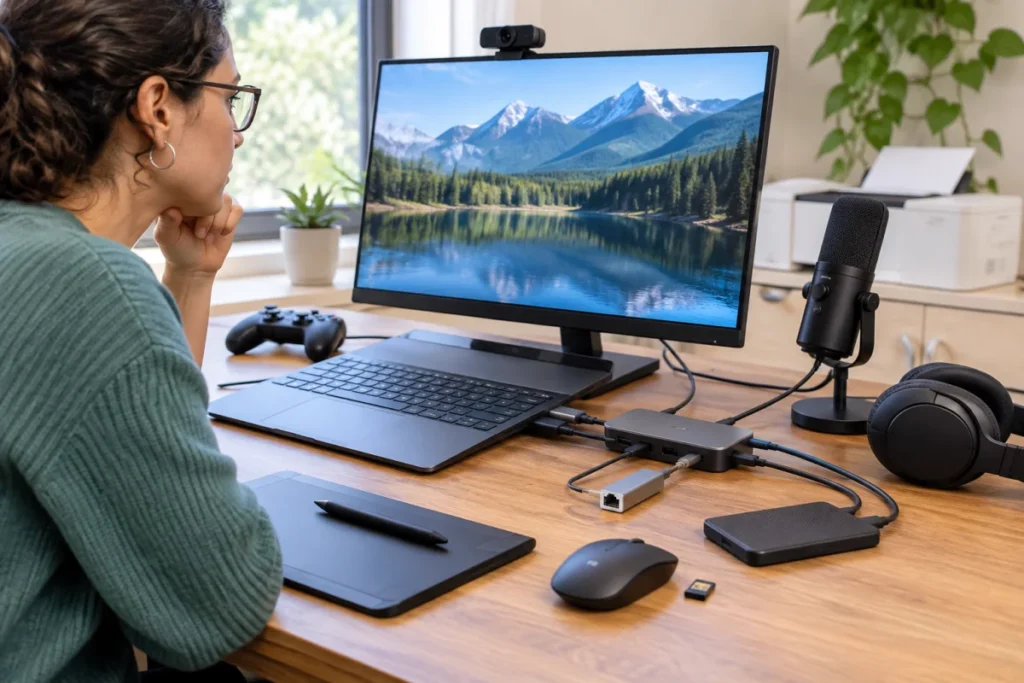
Ports are not glamorous, but they decide how pleasant your setup feels. Write down every device you connect in a normal week: external monitor, USB-A mouse receiver, HDMI display, Ethernet adapter, printer, external SSD, audio interface, SD card, drawing tablet, webcam, microphone, or game controller.
For each one, note whether it connects directly, through a hub, through a dock, or wirelessly. A laptop with fewer ports can still be a good fit if you are happy using a dock at home and one small hub in your bag. It becomes a poor fit when you are juggling adapters before every presentation or lab session.
Also check power. If you want one charger for laptop, phone, and headphones, USB-C charging support and charger wattage matter. If the laptop uses a proprietary power connector, that is not automatically bad, but it changes your travel kit and backup-charger plan.
Turn the laptop brief into buying requirements
Once your notes are down, convert them into requirements. Keep the list short enough to guide shopping rather than recreate an entire spec database.
- Operating system: choose based on required software first, preference second.
- Screen size: 13-inch and 14-inch laptops tend to favor mobility; larger screens favor workspace and visual comfort at the cost of carry weight.
- Memory: choose more memory for heavy multitasking, virtual machines, large creative files, or keeping a laptop longer. Do not treat memory as an easy future fix unless the model clearly supports upgrades.
- Storage: estimate current files, project growth, games, media, and cloud habits. Leave room for the laptop’s useful life, not just the first month.
- Graphics: integrated graphics can be fine for everyday work; discrete graphics matter more for gaming, certain creative workflows, GPU-aware professional apps, and some technical programs.
- Battery expectation: write the task, not a dream number. “Four hours of video calls and browser work away from an outlet” is more useful than “all-day battery.”
- Budget band: set a target range and a hard ceiling. For example, you might aim around $800 to $1,200 but refuse to go beyond $1,400 unless a requirement truly changes.
The most useful brief separates “must have” from “nice to have.” A must-have blocks the purchase if missing. A nice-to-have only wins when two laptops are otherwise close.
Three sample briefs you can adapt
The commuter student
Applications: browser, Microsoft 365, video calls, PDF annotation, light coding, and school portals. Locations: classrooms, library tables, dorm desk, and weekend travel. Peripherals: USB-C hub, external monitor at home, wireless mouse, and phone charger. Likely priorities: 13-inch or 14-inch size, strong keyboard, good webcam, quiet operation, enough memory for multitasking, and reliable battery life under mixed study tasks.
The hybrid office worker
Applications: browser tabs, spreadsheets, Teams or Zoom, cloud storage, PDFs, and occasional photo or presentation work. Locations: home desk, office hot desk, conference rooms, and travel. Peripherals: external monitor, dock, headset, webcam, keyboard, mouse, and maybe Ethernet. Likely priorities: dependable ports or dock support, comfortable display, fast wake, solid webcam and microphone quality, and a charger plan that does not make every meeting room a scavenger hunt.
The creator who also games
Applications: photo editing, video editing, audio tools, game launchers, and a browser full of references. Locations: desk first, travel second. Peripherals: external SSD, monitor, headphones, controller, and maybe an SD card reader. Likely priorities: stronger graphics, more memory, more storage, cooling headroom, and a display suited to visual work. The compromise is usually weight, fan noise, battery life under heavy load, or price.
Use the brief to shortlist without overbuying
Now build a three-laptop shortlist instead of hunting endlessly. Pick one safe option that meets every must-have, one more portable option that tests how light you can go, and one performance option that shows what extra power costs in weight, heat, battery expectations, and dollars.
For example, a flexible 14-inch convertible such as the Lenovo Yoga 7 14 can help you think through note-taking, tablet-style use, and everyday portability, while other machines may suit desk-first performance or ultra-light travel better. The point is not to crown one universal winner. It is to see which compromise profile matches your actual week.
If you want a structured next step, the Laptop Use-Case Finder can help turn those requirements into a more realistic shortlist by workload, portability, display preferences, battery expectations, and budget.
Common mistakes that weaken the decision
- Buying for the hardest possible day: If you edit video twice a year, a desktop, lab machine, cloud workflow, or borrowed performance setup may be smarter than carrying extra weight every day.
- Ignoring the charger: The laptop’s listed weight is not the whole travel system. Charger size, cables, adapters, and hubs all count in the bag.
- Assuming battery claims match your workload: Runtime changes with screen brightness, video calls, background apps, browser load, and performance settings. Treat battery numbers as context, not a guarantee.
- Underbuying storage: Cloud storage helps, but project files, games, downloads, media, and offline work can fill a small drive quickly.
- Forgetting repair and upgrade limits: Soldered memory, limited storage access, battery replacement complexity, and warranty terms affect how long the laptop stays useful.
Common questions
How long should this planning take?
About 30 minutes if you already know your software, or a few days if you need to watch your real habits. The best method is to keep a note open for one normal week and add apps, locations, and peripherals as they appear.
Should budget come first or last?
Set a rough budget early, but do not lock it until you know the requirements. A strict ceiling is useful; an uninformed ceiling can push you into a laptop that misses the reason you were buying in the first place.
What if two laptops both meet the brief?
Choose based on the friction you will notice most often: keyboard, display, ports, weight, fan behavior, webcam, charger, upgrade limits, or warranty comfort. When performance is close enough, daily feel usually decides satisfaction.
What to remember
A better laptop choice starts with your week, not the manufacturer’s launch page. Capture your applications, locations, peripherals, and non-negotiables before comparing models. Then judge each laptop by what it makes easier and what it asks you to tolerate.
The goal is not a perfect spec sheet. It is a machine that fits your actual work, study, travel, and downtime with fewer small annoyances stacked against you.