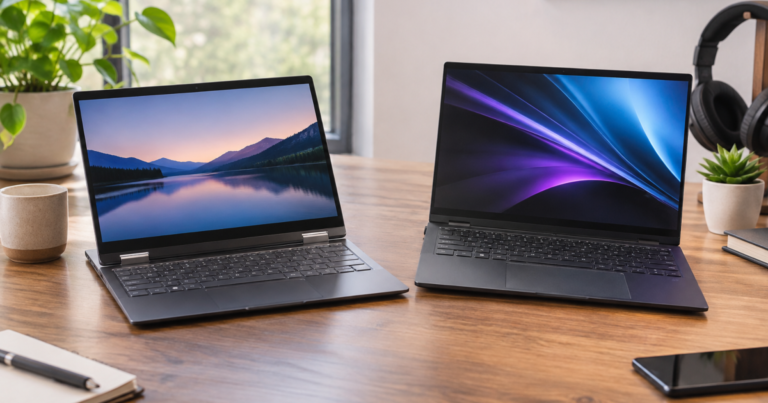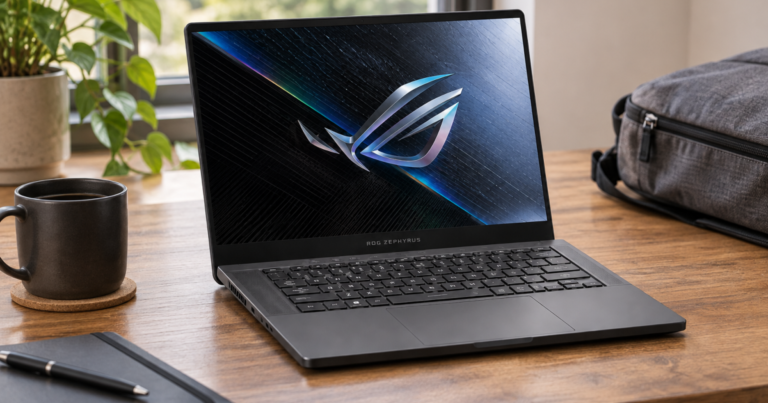
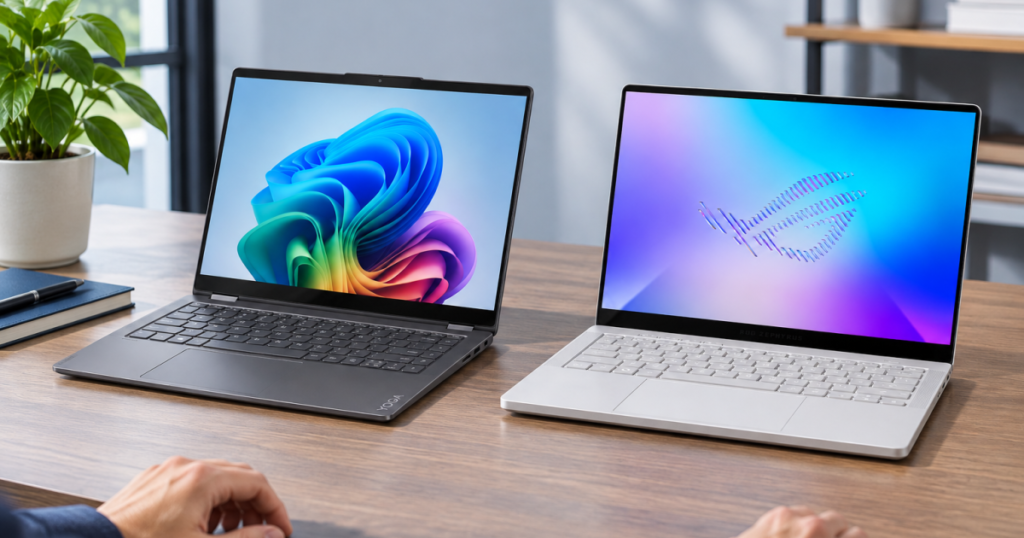
Lenovo Yoga 7 14 vs ASUS ROG Zephyrus G14 is not a normal same-class shootout. One is a flexible 14-inch convertible for productivity, touch, and lighter carry. The other is a 14-inch gaming laptop with a discrete NVIDIA GPU and a more performance-centered port and power setup. The useful question is not which spec sheet looks louder. It is which set of compromises you will still like after the purchase glow wears off.
Quick Buying Links
Lenovo Yoga 7 14
portable productivity buyers who want touch, 2-in-1 modes, lighter weight, and straightforward USB-C desk use
ASUS ROG Zephyrus G14
Better for gaming, creator, and developer workloads that need discrete RTX graphics, Thunderbolt 4, and stronger media connectivity
What to know first
Choose the Lenovo Yoga 7 14 if your real work is notes, documents, browser-heavy multitasking, streaming, calls, light creative work, and a lot of moving between desk, couch, classroom, and bag. Its official specification gives you a 360-degree hinge, OLED touch display options, a starting weight of 3.04 lb, USB-C charging support, HDMI, and a microSD card reader.
Choose the ASUS ROG Zephyrus G14 if gaming, GPU-heavy creative work, or developer workloads are central to the purchase. ASUS lists the 2026 GU405 with an Intel Core Ultra 9 Processor 386H and an NVIDIA GeForce RTX 5070 Ti Laptop GPU with 12GB of GDDR7. That puts it in a different graphics class from the Yoga’s integrated AMD Radeon 840M graphics.
If you are still defining the job this laptop has to do, build the shortlist from your actual week before comparing spec lines. A routine-first exercise like The One-Week Laptop Brief is a better starting point than arguing with yourself over processor names at midnight.
The exact versions being compared
This comparison resolves the Lenovo to the Lenovo Yoga 7 2-in-1 Gen 10 (14-inch AMD), based on Lenovo’s official product page and PSREF specifications. It resolves the ASUS to the ASUS ROG Zephyrus G14 (2026) GU405, based on ASUS ROG’s official US product and specification pages. That matters because both names span multiple generations and configurations.
The Yoga 7 14 is a 14-inch 2-in-1 convertible productivity laptop. Its 360-degree hinge supports laptop, tent, stand, and tablet modes. The Zephyrus G14 is a 14-inch gaming laptop aimed at gamers, creators, and developers. It is not a convertible and the verified ASUS specification does not support tablet-mode or pen-first buying advice.
The ownership differences that actually matter
- Category: The Lenovo is built around flexible productivity and touch use. The ASUS is built around compact performance with gaming-class graphics.
- Display: Lenovo lists 14-inch OLED touch options: WUXGA 1920×1200 at 60Hz or 2.8K 2880×1800 at 120Hz, both 16:10 with 100% DCI-P3. ASUS lists a 14-inch 3K 2880×1800 OLED 16:10 display at 120Hz, Pantone Validated.
- Graphics: Lenovo uses AMD Radeon 840M integrated graphics. ASUS uses an NVIDIA GeForce RTX 5070 Ti Laptop GPU with 12GB GDDR7, with high-power Turbo and Manual modes listed by ASUS.
- AI hardware: Both list an NPU up to 50 TOPS: AMD Ryzen AI on the Lenovo and Intel NPU on the ASUS.
- Memory design: Both use soldered or onboard LPDDR5X memory with no upgrade path after purchase.
- Storage: Lenovo lists one M.2 2242 PCIe 4.0 x4 SSD, with 512GB, 1TB, or 2TB offerings and up to 2TB supported. ASUS lists a 1TB PCIe 4.0 NVMe M.2 SSD and one M.2 PCIe slot.
- Wireless: Both list Wi-Fi 7. Lenovo lists Bluetooth 5.4; ASUS lists Bluetooth 6.0.
- Weight: Lenovo starts at 3.04 lb and is 0.61 inches thick. ASUS is listed at 3.48 lb and 0.63 to 0.72 inches thick.
Performance: integrated graphics versus a real gaming GPU
The cleanest split is graphics. The Lenovo’s AMD Radeon 840M integrated graphics fit the Yoga’s role as a portable productivity convertible. That is enough information to place it correctly: it is not the model to buy when a discrete GPU is a requirement.
The ASUS has the decisive hardware advantage for GPU-heavy work because ASUS lists an NVIDIA GeForce RTX 5070 Ti Laptop GPU with 12GB GDDR7. That makes the Zephyrus G14 the straightforward pick for buyers whose laptop has to handle gaming or creator workloads that depend on discrete graphics. The official facts support that recommendation without needing benchmark theater.
The processor story also points in different directions. Lenovo lists AMD Ryzen AI 5 and Ryzen AI 7 400 Series processor families for the Yoga 7 14. ASUS lists an Intel Core Ultra 9 Processor 386H with 16 cores, 16 threads, and up to 4.9GHz for the Zephyrus G14. The meaningful buying conclusion is not that one brand name is automatically better; it is that the ASUS configuration is paired with a much stronger graphics subsystem, while the Lenovo is paired with a lighter convertible chassis.
Display and form factor: touch flexibility or creator-gaming panel
Both laptops use 14-inch OLED screens, but they invite different behavior. Lenovo’s display options include 10-point OLED touch and the convertible hinge lets the machine become a stand, tent, or tablet-style device. That matters for handwritten notes, reading marked-up documents, presenting across a small table, or propping the screen without needing a full laptop footprint.
The ASUS display is a 3K 2880×1800 OLED 16:10 panel at 120Hz and is Pantone Validated according to ASUS’s official specification. Its display story lines up with the rest of the machine: sharper visual work, gaming-friendly refresh, and a creator-oriented spec sheet. ASUS also lists G-SYNC support on the USB-C display output, which strengthens its case for gaming and external-display setups.
For a deeper product-specific view of the convertible route, the site’s Lenovo Yoga 7 14 profile is the more natural next stop. It keeps the decision centered on real fit rather than turning every 14-inch laptop into the same abstract rectangle.
Memory and storage: buy the configuration you can live with
Neither laptop is friendly to memory regrets. Lenovo lists 16GB, 24GB, or 32GB soldered LPDDR5x-8000 memory with no upgrade path. ASUS lists 16GB or 32GB LPDDR5X-8533 onboard memory with no expansion possible. In plain English: choose the memory tier for the heaviest version of your real workload, not for the quietest day of your week.
For the Yoga buyer, that might mean browser tabs, documents, video calls, photo libraries, and a few productivity apps running together. For the Zephyrus buyer, it might mean gaming, creative apps, developer tools, and external displays. The verified specifications do not support a later RAM rescue mission on either machine.
Storage is less identical. Lenovo lists 512GB, 1TB, and 2TB offerings, with up to 2TB supported on one M.2 2242 PCIe 4.0 x4 SSD. ASUS lists a 1TB PCIe 4.0 NVMe M.2 SSD with one M.2 PCIe slot. If your work creates large project files, game libraries, or media folders, storage planning deserves as much attention as the processor line.
Ports, charging, and what ends up in your bag
The Yoga has a very practical everyday port mix: one USB-A port, two USB-C ports with USB Power Delivery and DisplayPort support, HDMI 2.1, a microSD card reader, and a 3.5mm combo jack. Lenovo also lists a 70Wh battery and Rapid Charge Express, with manufacturer-stated local video playback figures of up to 21 hours for 2.8K OLED models and 26 hours for WUXGA OLED models. Those are Lenovo’s stated local video figures, not a promise for every mixed workload.
The Zephyrus G14 leans more performance-desk and creator-desk. ASUS lists two USB-A ports, one USB-C port with DisplayPort, Power Delivery, and G-SYNC, one Thunderbolt 4 port with DisplayPort and Power Delivery, and a 3.5mm combo jack. The product page also lists HDMI 2.1 and a full-size UHS-II SD reader. ASUS lists a 73Wh 4-cell battery, a 250W AC adapter, and USB-C Power Delivery support up to 100W in its FAQ.
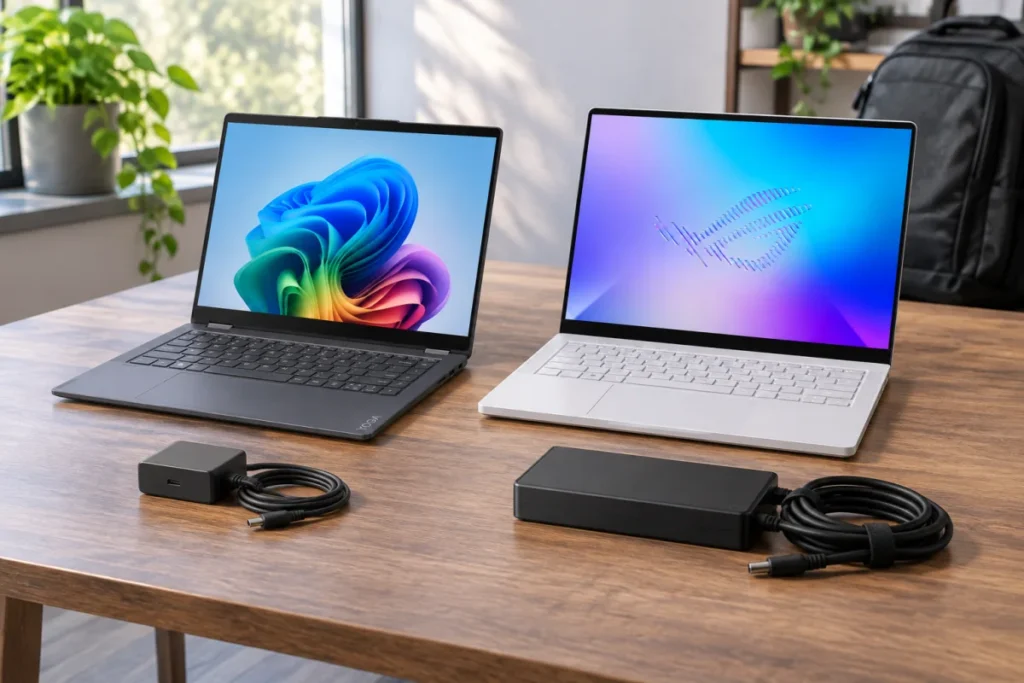
The charger difference is worth pausing on. The Lenovo’s listed 65W USB-C adapter offering fits the lightweight productivity story. The ASUS’s 250W AC adapter lines up with the discrete GPU and higher-power performance modes. That does not make one good and the other bad. It simply means the ASUS earns its space when you need the hardware it carries. For more context on that class of machine, read the ASUS ROG Zephyrus G14 review.
Pros and compromises by laptop
Lenovo Yoga 7 14
- Strong fit: Portable productivity, touch use, note-taking workflows, flexible screen positions, and lighter travel days.
- Why it works: The 360-degree hinge, OLED touch options, 3.04 lb starting weight, USB-C charging/display support, HDMI, and microSD reader make it versatile without turning it into a gaming machine.
- Main compromise: The AMD Radeon 840M integrated graphics do not put it in the same GPU class as the Zephyrus G14.
- Longevity watch point: Memory is soldered, so the 16GB, 24GB, or 32GB choice is a purchase-day decision.
ASUS ROG Zephyrus G14
- Strong fit: Compact gaming, GPU-heavy creator work, developer workloads, and media workflows that benefit from stronger ports.
- Why it works: The RTX 5070 Ti Laptop GPU with 12GB GDDR7 is the defining advantage, supported by a 3K 120Hz OLED display, Thunderbolt 4, HDMI 2.1, and a full-size UHS-II SD reader.
- Main compromise: It is heavier than the Lenovo and uses a larger 250W AC adapter for its full performance platform.
- Longevity watch point: Memory is onboard with no expansion possible, so 16GB versus 32GB matters at purchase.
Which one fits your routine?
Pick the Lenovo if your laptop spends its life in meetings, classes, notes, browser work, streaming, and desk-to-bag transitions. The lighter starting weight, convertible design, touch OLED options, and straightforward USB-C setup are the facts that support that choice. It is the more natural everyday machine for buyers who want flexibility before frame rates.
Pick the ASUS if the laptop has to be more than an office machine. The RTX 5070 Ti Laptop GPU, 3K 120Hz OLED display, Thunderbolt 4, and full-size UHS-II SD reader all point toward a compact performance system. It is the more logical buy when games, creative projects, or development workloads justify the weight and power-adapter trade-off.
The budget logic follows the workload. If you will not use the discrete GPU, the ASUS’s biggest advantage is solving a problem you do not have. If you need the discrete GPU, the Lenovo’s lighter convertible charm will not replace it. This is one of those decisions where restraint can be just as smart as ambition.
The practical recommendation
The Lenovo Yoga 7 14 vs ASUS ROG Zephyrus G14 decision should start with the job, not the logo. The Lenovo Yoga 7 14 is the better fit for portable productivity buyers who want a 14-inch OLED touch convertible, lighter carry, USB-C charging support, HDMI, and flexible screen modes. The ASUS ROG Zephyrus G14 is the better fit for buyers whose workloads truly need discrete NVIDIA graphics, a 3K 120Hz OLED display, Thunderbolt 4, and stronger creator-oriented connectivity.
For most everyday productivity shoppers, the Yoga is the cleaner match because it avoids buying gaming hardware for non-gaming work. For gaming, creator, and developer buyers, the Zephyrus is the more credible choice because its verified GPU and port setup directly support those heavier demands. Buy the machine that matches the work you repeat every week; the laptop you actually carry and use is the one that wins.
Quick Buying Links
Lenovo Yoga 7 14
portable productivity buyers who want touch, 2-in-1 modes, lighter weight, and straightforward USB-C desk use
ASUS ROG Zephyrus G14
Better for gaming, creator, and developer workloads that need discrete RTX graphics, Thunderbolt 4, and stronger media connectivity